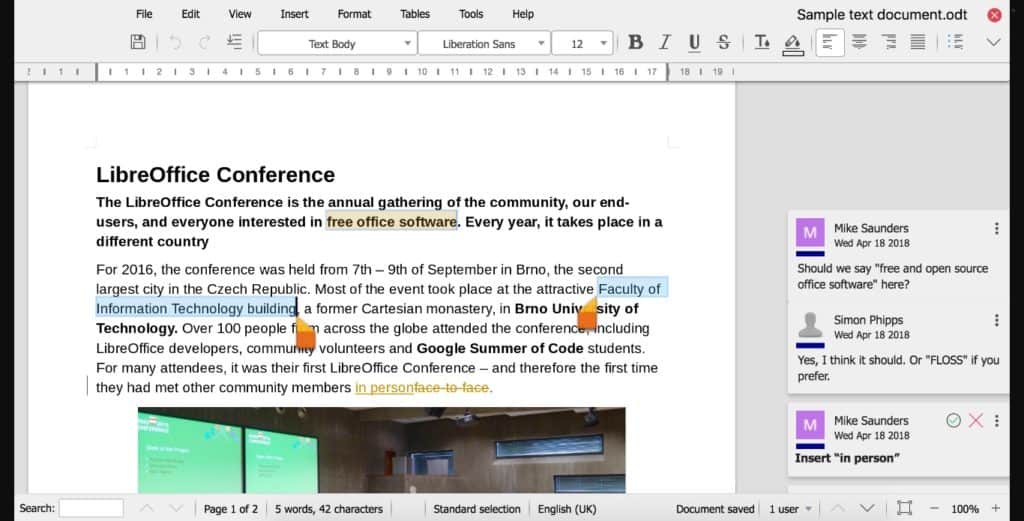
Unlocking the Power of Writing Software: Top Features You Should Use
Writing software has revolutionized the way we create and edit content, offering a range of features that enhance productivity and streamline the writing process. One of the top features you should take advantage of is real-time collaboration. This allows multiple users to work on a document simultaneously, making it perfect for team projects, brainstorming sessions, and feedback collection. Additionally, advanced grammar and style checking tools ensure that your writing is clear and concise, helping you avoid common mistakes and improving overall readability.
Another essential feature of modern writing software is the comprehensive document organization tools it provides. These tools allow you to categorize your work, maintain version histories, and easily retrieve previous drafts. Moreover, many writing platforms now include integrated research capabilities, enabling you to search for sources, gather quotes, and add citations right within the document. By unlocking the power of these features, you can enhance your writing process and create high-quality content more efficiently.
10 Essential Software Tools for Effective Writing: A Beginner's Guide
Writing effectively requires not only talent but also the right set of tools. For beginners looking to enhance their writing skills, understanding and utilizing software tools can be a game changer. Here are 10 essential software tools that can help you streamline your writing process:
- Microsoft Word: A classic word processor that offers a range of features including templates, grammar checking, and a user-friendly interface.
- Google Docs: An online alternative that allows for real-time collaboration and easy sharing of your documents with others.
- Grammarly: A proofreading tool that helps improve your grammar, spelling, and style, ensuring your writing is polished and professional.
- Evernote: A note-taking app that helps you stay organized and capture ideas whenever inspiration strikes.
- Trello: A project management tool that can help you plan and track your writing projects visually.
Continuing with our list, here are the last five essential software tools that every beginner writer should consider:
- Scrivener: Ideal for long-form writing, it allows you to organize your thoughts, research, and drafts all in one place.
- Hemingway Editor: A tool designed to help you simplify your writing, making it clear and easy to read.
- Zoho Writer: A robust online word processor that integrates well with other Zoho applications, perfect for project collaboration.
- Canva: While primarily a design tool, it can be useful for creating visually appealing graphics for your blog posts.
- MindMeister: A mind mapping software that can help you brainstorm and outline your writing effectively.
How to Choose the Right Writing Software for Your Unique Style?
Choosing the right writing software is essential for enhancing your unique writing style. First, consider your specific needs: do you prioritize distraction-free writing, or do you require advanced formatting options? Popular software such as Scrivener and Google Docs cater to different styles, so take the time to explore features like collaboration tools, template availability, and organization capabilities. Make a list of must-have features and compare them across various software options to find the best fit for your writing process.
Additionally, think about the user interface and overall experience. A clean, intuitive layout can significantly impact your productivity and creativity. Test out free trials or demos if available, as this will allow you to experience the software firsthand. Don’t forget to check for cross-platform compatibility; if you write on multiple devices, the right software should synchronize smoothly across them. Ultimately, your choice should enhance your strengths as a writer while accommodating your unique style.