Understanding Browser Compatibility: Why It Matters for Web Designers
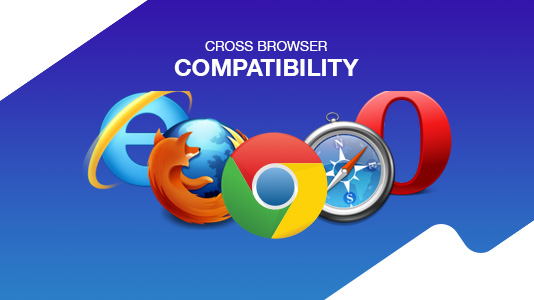
In the ever-evolving landscape of web design, browser compatibility emerges as a critical consideration for web designers. As users access websites across a plethora of devices and browsers—ranging from Chrome and Firefox to Safari and Edge—it is essential to ensure that web pages render consistently and function correctly. A lack of compatibility can lead to a disjointed user experience, causing potential customers to leave the site in frustration. Understanding how to test and implement various web standards is vital for maintaining a responsive design that appeals to a wider audience.
Moreover, achieving robust browser compatibility can significantly impact a website's SEO performance. Search engines like Google prioritize user experience; thus, if sites are not optimized for all browsers, they risk dropping in search rankings. Web designers must adopt best practices, such as using feature detection, progressive enhancement, and graceful degradation, to ensure a site remains usable, regardless of the browser in question. By consciously addressing browser compatibility, designers not only enhance site usability but also boost visibility in search engine results, ultimately attracting more visitors.
Top Tools and Techniques for Testing Cross-Browser Compatibility
Ensuring cross-browser compatibility is essential for web developers aiming to provide a seamless user experience. Various tools can help streamline this process, including BrowserStack and LambdaTest, which allow you to test your website on multiple browsers and devices without needing to set up complex environments. Additionally, automated testing frameworks like Selenium can be integrated to run multi-browser tests. By utilizing these powerful tools, you can quickly identify inconsistencies and bugs across different platforms, ensuring that your site functions properly for all users.
In addition to these tools, implementing best practices in your development workflow can significantly improve cross-browser compatibility. Start by writing clean, standards-compliant code that adheres to the latest HTML and CSS specifications. Use tools like Can I use to check for feature support across various browsers, and consider employing responsive design techniques to maintain usability on different screen sizes. Regularly testing your website on the latest versions of popular browsers such as Chrome, Firefox, and Safari will also ensure your site remains functional as updates roll out.
Common Compatibility Issues and How to Resolve Them in Web Development
When developing a website, compatibility issues are common challenges that can disrupt user experience and functionality. These issues may arise from differences in web browsers, operating systems, or device types. For instance, a website that looks flawless on Chrome might display errors on Internet Explorer. Additionally, older versions of browsers may not support modern CSS or JavaScript features, leading to broken designs or scripts. It is crucial to test your site across various platforms to identify and address these issues early in the development process.
To effectively resolve compatibility issues, consider implementing the following strategies:
- Utilize CSS resets: This helps to create a consistent baseline across different browsers.
- Employ feature detection: Tools like Modernizr can help you determine browser capabilities and fall back gracefully when necessary.
- Responsive design: Ensure your website adapts to various screen sizes by using a flexible layout and media queries.
- Regular testing: Use tools like BrowserStack or CrossBrowserTesting to check compatibility across multiple devices and browsers.