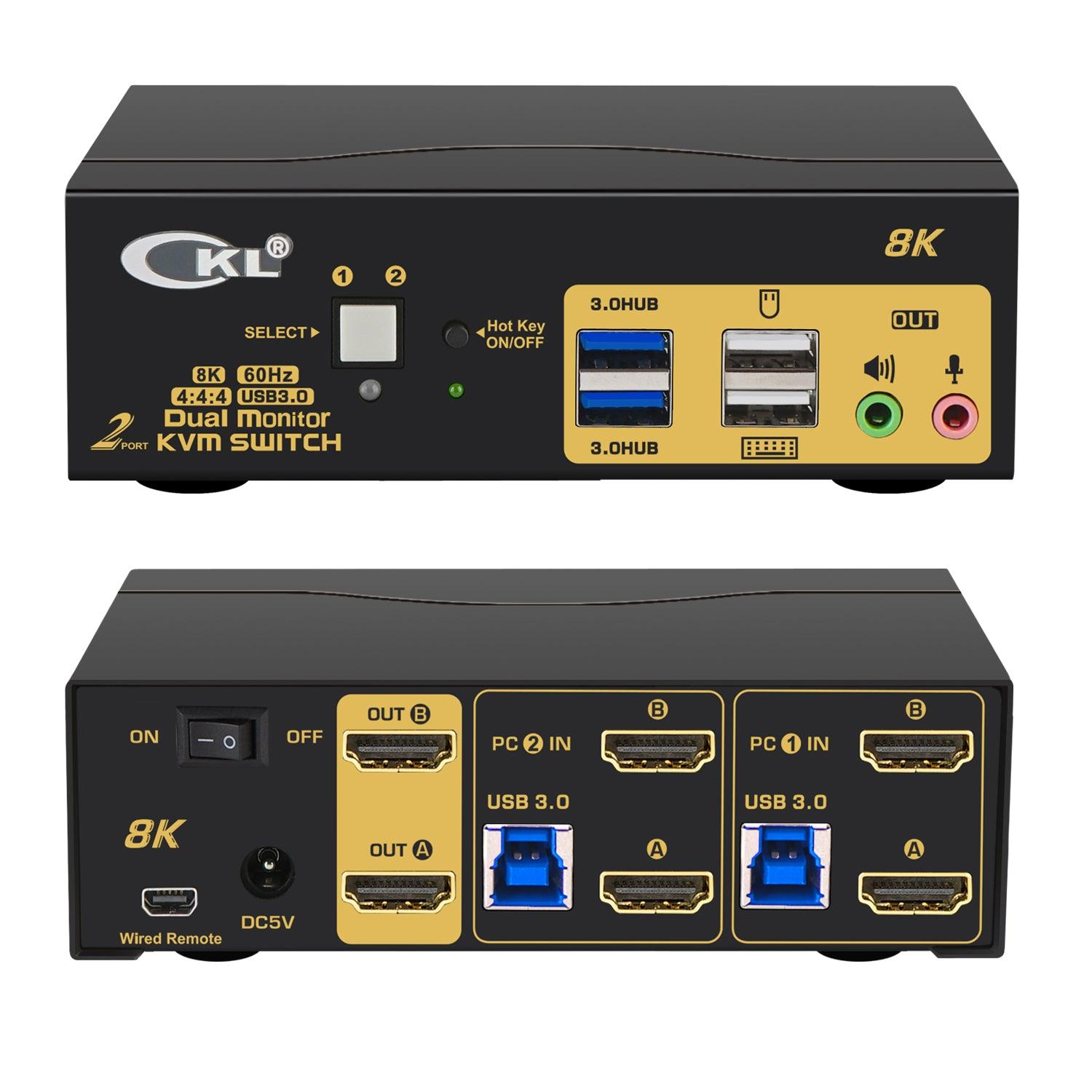
Understanding KVM Switches: What They Are and How They Work
KVM switches, or Keyboard, Video, Mouse switches, are devices that allow users to control multiple computers from a single keyboard, monitor, and mouse setup. This technology is particularly beneficial in environments where space is limited or where multiple systems need to be monitored simultaneously, such as data centers, server rooms, and IT management offices. By using a KVM switch, users can easily switch between different computers with the push of a button, saving both time and desk space. Furthermore, KVM switches can support a variety of connections, including USB, HDMI, and DisplayPort, making them versatile for different hardware configurations.
Understanding how KVM switches work involves recognizing their key components and functionality. Typically, a KVM switch will include ports for connecting the individual computers, as well as the interface for the keyboard, mouse, and monitor. When a user switches control from one computer to another, the KVM switch manages the input and output signals, ensuring seamless operation without delays or interruptions. Many modern KVM switches also offer features such as hotkey switching, which allows users to toggle between systems using keyboard shortcuts, and support for multi-platform environments, accommodating both Windows and Linux systems alike.
If you're looking for a reliable way to manage multiple USB devices, consider exploring the Top 10 USB Switch Selectors. These devices allow you to effortlessly switch between different USB peripherals without the hassle of constant cable swapping. Whether you need to connect printers, mice, or external drives, a USB switch selector can significantly streamline your workspace.
Maximizing Productivity: The Benefits of Using KVM Switches in Your Workspace
In today's fast-paced working environment, maximizing productivity is essential for success, and one effective tool to achieve this is the KVM switch. This device allows users to control multiple computers from a single keyboard, video monitor, and mouse setup, significantly reducing clutter while enhancing efficiency. By eliminating the need for multiple sets of peripherals, KVM switches not only streamline your workspace but also facilitate smoother workflows, enabling users to switch between systems effortlessly and maintain focus on critical tasks.
Moreover, the benefits of using KVM switches extend beyond mere convenience. They also promote collaboration in shared workspaces by allowing team members to quickly share screens and resources without the hassle of disconnecting devices. Additionally, modern KVM switches often come equipped with advanced features such as multi-monitor support and USB pass-through capabilities, further optimizing your work experience. By incorporating a KVM switch into your setup, you can harness these advantages to boost your productivity and ultimately achieve more in your professional endeavors.
KVM Switches vs. Remote Desktop: Which Solution is Right for You?
When deciding between KVM switches and remote desktop solutions, it's essential to consider your specific needs and use cases. KVM switches, or Keyboard, Video, and Mouse switches, allow you to control multiple computers from a single set of peripherals. This is particularly beneficial in environments where physical access to devices is limited or when managing servers in a data center setting. With KVM switches, you can quickly switch between systems using keyboard shortcuts or buttons, making them a convenient choice for IT professionals who require real-time access to multiple machines.
On the other hand, remote desktop solutions provide a virtual means of accessing devices over a network, offering flexibility for users who need to work from various locations. This approach is ideal for remote work scenarios, allowing users to connect to their office computers securely from anywhere with an internet connection. However, remote desktop setups may have latency issues depending on network speed, and they rely on software that can sometimes be vulnerable to security threats. Ultimately, the choice between KVM switches and remote desktop solutions will depend on your priority for speed, accessibility, and the nature of your work environment.